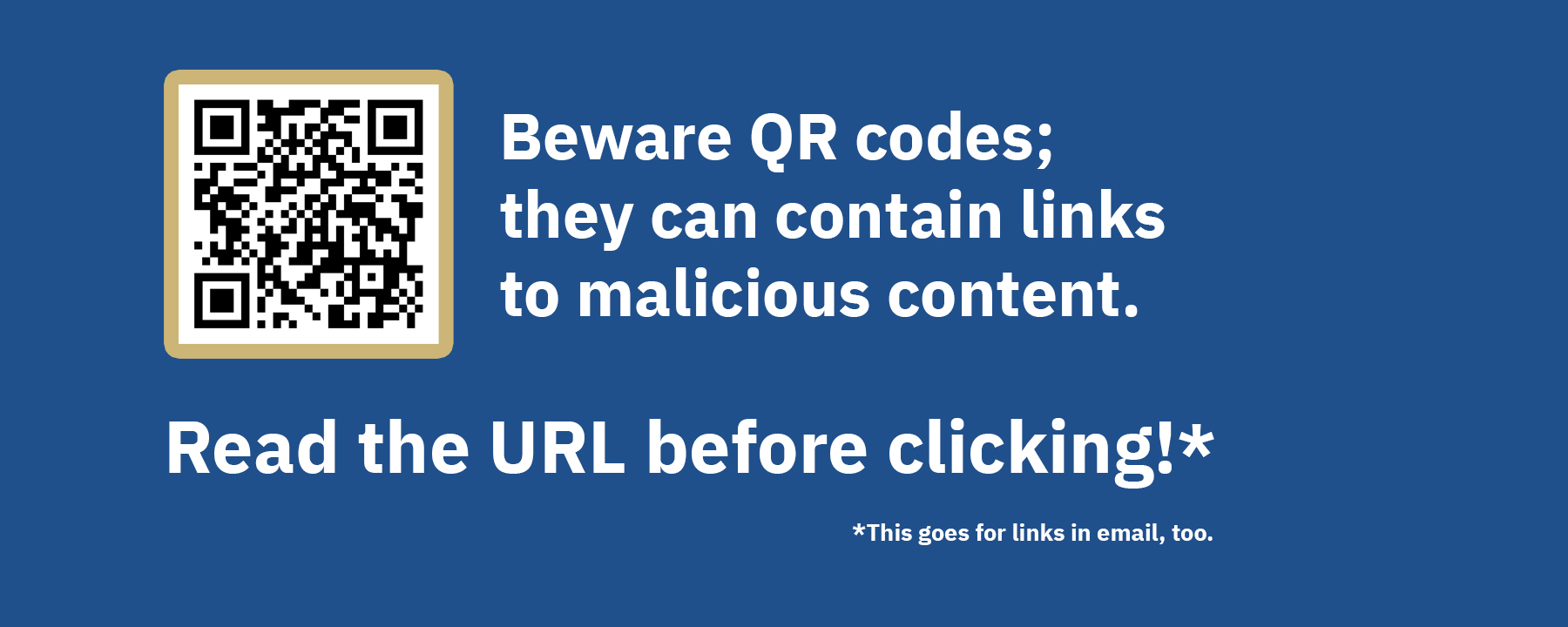
Phishing is a cyberattack where criminals pretend to be trusted sources to trick you into clicking harmful links, downloading malware, or revealing sensitive information. It’s a form of social engineering based on deception.
Safe Computing
What is phishing?
Report phishing!
If a message is clearly phishing spam, mark the email as junk or phishing and delete it.
Unsure if it's legit? Forward the email as an attachment to helpdesk@andrews.edu.
Do not click “unsubscribe!”
Job Offer Scams
Employers do not email you out of the blue without receiving an application from you first.
Find Andrews University jobs here.

Email Spoofing
A hacker manipulates an email to appear as if it is from a different address than it really is.
Spoofers often impersonate your contacts.
Use a second form of communication to check with the “sender” of the email before clicking, texting, or buying.
See more on buying gift card scams, here.
Stay Safe Online
1. Be careful what you click!
Don’t open attachments or click links that you were not expecting to receive, even if they are from a trusted source. Hover over links and read the URL before you click. Contact the sender through another form of communication to ensure the attachment is real.
2. Protect your accounts with Multi-Factor Authentication (MFA).
At Andrews University, your Andrews Vault account and your Microsoft 365 account are protected by Duo. If someone gains your password, they still need your second factor to authenticate. If you get a Duo Push that you did not initiate, contact Help Desk immediately.
Your Andrews Google account is protected by Google two-factor authentication.
3. Keep your computer, browser, and your phone up to date.
This is your best bet against new security threats.
4. Protect your data by backing it up.
In the age of ransomware, it is a good idea to periodically back up your most important data.
Protect Yourself from Phishing
Does something sound too good to be true? Keep a healthy level of skepticism when you’re online. Cyber criminals are looking to take advantage of you; unfortunately, there’s nothing stopping them from creating a new email account to send you fraudulent messages. Don’t fall prey to their scams.
Phishing messages…
-
say they’ve noticed suspicious activity or log-in attempts
— they haven’t. -
say you need to confirm some personal or financial info
— you don’t. - include an invoice you don’t recognize — it’s fake.
-
want you to click on a link to make a payment
— but the link has malware. - offer a coupon for free stuff — it’s not real.
Did you know your Andrews email address is public? It’s true!
Look out for the yellow caution label on all Andrews University email that is from a sender outside of our network.
This is your first defense against phishing from the world wide web.
Take the time. Get informed...
Have you received an email similar to this about a job opportunity?
|
From: Christensen [Redacted] <[redacted]@gmail.com> Dear Student, We got your contact through your school database and I’m happy to inform you that our reputable company [Legitimate Company] is currently running a student empowerment programme. This programme is to help loyal and hardworking students like you secure a part time work from home job which does not deter you from doing any other, you just need a few hours to do this weekly and with an attractive weekly salary. KINDLY EMAIL BACK WITH YOUR MOBILE NUMBER IF INTERESTED IN THIS JOB POSITION. Kind Regards, Christensen [Redacted] HR Manager [Legitimate Company] Inc.® |
Unfortunately, the email above it is not a legitimate job offer, but a scam that could cost you money. Scammers are spoofing Andrews University email addresses to send job scam emails designed to trick students into applying for a job that requires them to provide personal information and potentially engage in criminal activity.
Please confirm all employers and representatives before corresponding via email or phone.
There are many ways to identify a job scam email:
- The email is from a Gmail, Yahoo, or other non-Andrews address. Legitimate companies should email from their corporate email account. Andrews University will not post jobs from employers that do not have corporate email accounts.
- You are not the only recipient on the email. Legitimate companies will not send an email about a job offer to multiple people at once.
- The email does not address you by name. The email may say your information was obtained from a job board, school database, or a career services office. If so, they should address the email to you directly, rather than “Hello Student” or “Good Morning”.
- The company name is a legitimate company. To make the scam more believable the email will use the name of a legitimate company. However, the person contacting you has no relationship with the company they are claiming to work for.
- They ask to continue the conversation by text. This makes the scam harder to document. Conversations about legitimate offers should be conducted by email.
- They ask for personal information in an email. Legitimate job opportunities require you to apply and provide your personal information in an official application, many times on the company website.
- The email contains grammatical or spelling errors. A very common attribute of scam emails is that they do not bother to spell check or grammar check their outgoing emails.
- There is no contact information for the sender. Any legitimate email from a company’s Human Resources or Recruiting department should have a signature line with the sender's name, title, and contact information.
- The email asks you to visit a non-Andrews website. Andrews University will only ask you to visit the website for official career services events on campus.
If you receive an email that contains this type of information, mark the email as junk or phishing and delete it. Do not respond. If you ever have questions about whether or not an email is legitimate, forward it to: helpdesk@andrews.edu.
Never:
- Never give out personal information like your social security or bank account number over email or phone.
- Never take cashier’s checks or money orders as a form of payment. Fake checks are common and the bank where you cash it will hold you accountable.
- Never cash a check that comes with “extra” money. Scammers send checks that require you to deposit a check at your bank, withdraw the “extra” money as cash, and then deposit that cash elsewhere. The check will bounce and you will be held accountable.
- Never wire funds via Western Union, MoneyGram, Zelle, or any other service. Anyone who asks you to wire money is a scammer.
- Never apply for jobs listed by someone far away or in another country.
- Never agree to a background check unless you have met the employer in person.
- Never apply for a job that is emailed to you out of the blue.
Always:
- Be skeptical. If a job is offering a lot of money for very little work, it could be a scammer trying to get personal information from you.
- Research the employer. Do they have a reputable website or professional references? Is the job listing you want to apply for also on their main career page? Note: work-study jobs may not be advertised on employer websites.
- Meet face-to-face with a potential employer. An in-person interview or informal chat over coffee will help you determine the employer’s intentions.
- Be sure to choose a public place to meet, tell someone where you are going and bring your cell phone, just in case.
- Trust your instincts. If a job sounds too good to be true, it is likely a scam.
When Internet criminals impersonate a business to trick you into giving out your personal information, it’s called phishing. Do not reply to email, text or pop-up messages that ask for your personal or financial information. Don’t click on links within them either—even if the message seems to be from an organization you trust, like Andrews University—It is not! Legitimate businesses don’t ask you to send sensitive information through insecure channels.
Malicious email typically uses urgent language, asks for passwords, bank account numbers, user names, credit card numbers or other personal information; and may have grammatical, typographical or other obvious errors.
- How to protect against phishing: 18 tips for spotting a scam | Norton
- How to recognize and avoid phishing | Federal Trade Commission
- How to recognize gift card scams | Federal Trade Commission
- Recent Phishing Emails at Andrews University
- Take this "phishing" quiz from Jigsaw and Google
- Report phishing attempts. If you suspect an email to be a phishing attempt, mark the email as junk or phishing in your email client. Next, delete the email.
What happens if I am scammed?
If you think you gave personal information in response to a phishing email or on a suspicious webpage, your account may be compromised.
- Change your Andrews password in Vault immediately, here.
- Carefully review any online accounts that became vulnerable as a result of responding to the email message.
Contact Help Desk
If you believe your account has been compromised, or if you gave away personal details to a scammer, contact helpdesk@andrews.edu or 269-471-6016. We will give you next steps to take.
- Practice good password hygiene. Make unique passwords. Your Andrews password should not be used anywhere else; especially on social media.
- Set up your spam filter. Search online for various tutorials concerning instructions for your email client. Andrews University uses a spam filter by Microsoft. For more information, see Manage Spam Emails at Andrews.
- Block Images. Pictures sent through email can be modified to communicate with the sender. Spammers use the info to find active email addresses so prevent pictures from downloading until you’ve read the message. Check your email User’s Guide to learn about this feature.
- Only share your primary email address with people you know.
- Set up an email address dedicated solely to web transactions.
- Watch out for pre-checked boxes. When you buy or download online, companies sometimes pre-select check boxes to trick you. Make sure to read all check boxes and uncheck anything you don’t agree with.
- Delete junk email messages without opening them. Some emails contain hooks that capture your email address when you open the email.
- Don’t reply to spam emails. Be wary of messages that include a link to "remove me from this list." Instead, mark the email as junk or phishing and delete it. Do not "unsubscribe."
- Don’t give out personal information in an email or instant message.
-
Think twice before opening attachments or clicking links in e-mail or instant messages. Viruses can attach themselves to email and infect your computer when you click on them.
- Don’t buy anything or give to any charity promoted through spam. Spammers often swap email lists. So, buying something from spam mail may result in your name being passed to another spammer resulting in even more spam being sent directly to you.
- Don’t forward chain email messages. You can easily lose control of who sees your email address and further provide your email address to additional spammers.
- Report abusive, harassing, or threatening email messages to Student Life and Campus Safety.
- Report phishing scams or fraudulent emails to the company who was misrepresented by contacting them directly.